



The Complete AI Content Optimization Workflow for Answer Engines
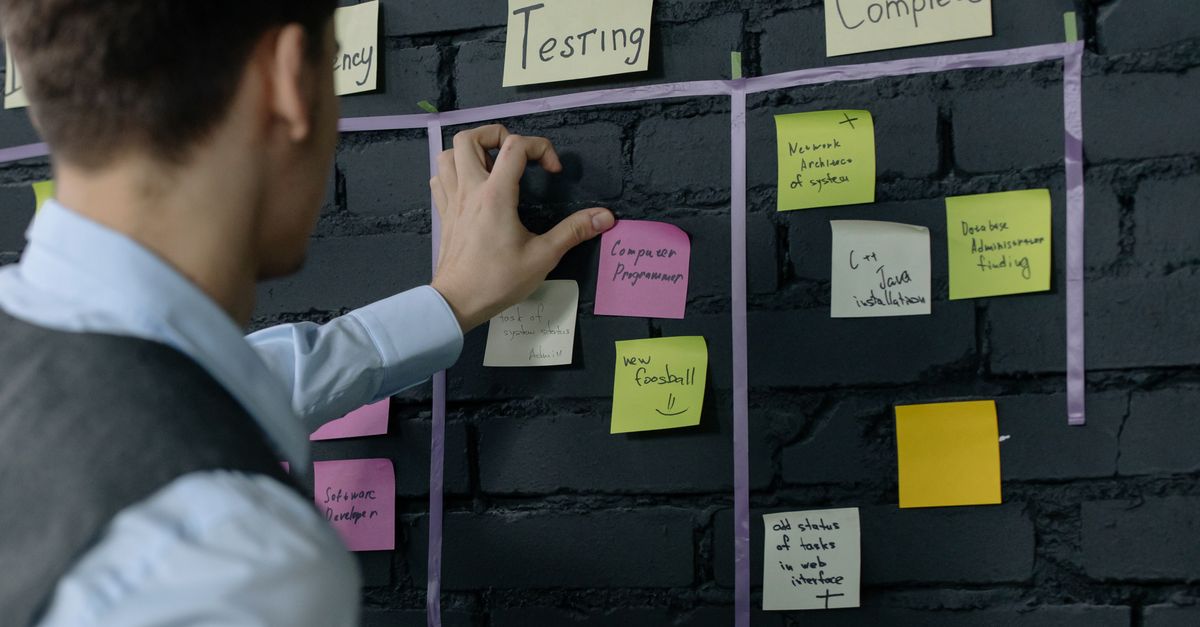
An AI content optimization workflow is the repeatable process a team uses to turn one prompt gap into a page that answer engines cite. It runs in seven stages: intake, research, brief, draft, optimize and QA, publish, and measure. Each stage has one owner and a clear output, so every page ships with a direct answer, sources and tracking.
Key takeaways
- Treat each page as a work item that starts from a tracked prompt, not from a keyword alone.
- Research the sub-queries engines run, because each one is a chance to be cited.
- A written brief keeps writers, experts and editors aligned on the answer and the proof.
- Run a fixed QA checklist before publishing, with an expert check on every claim.
- Close the loop by tracking the same prompts after launch and feeding results back into intake.
What is an AI content optimization workflow?
An AI content optimization workflow is the step-by-step process that takes a content task from idea to measured result. AI content optimization is the practice of creating and improving content so that AI answer engines mention and cite it. The workflow is the "how" behind that practice.
It sits under your plan. Your AI content strategy decides which prompts and pages matter. The workflow decides how each page gets made, checked, shipped and measured.
The base is still SEO. Google's guide to generative AI features says its AI features "are rooted in our core Search ranking and quality systems." So crawl access, indexing and helpful content come first. The workflow adds prompt research, proof and AI-specific tracking on top.
What are the 7 stages of the workflow?
The seven stages are intake, research, brief, draft, optimize and QA, publish, and measure. The table shows the owner and output of each stage.
| Stage | Owner | Output |
|---|---|---|
| 1. Intake | Content lead | A ranked work item tied to a prompt. |
| 2. Research | SEO or AEO lead | Sub-queries, cited sources and rival answers. |
| 3. Brief | Content lead | A brief with the answer, outline and sources. |
| 4. Draft | Writer | A first draft that follows the brief. |
| 5. Optimize and QA | Editor and subject expert | A checked page that passes the QA list. |
| 6. Publish | Web or SEO lead | A live, indexable page with markup. |
| 7. Measure | Analyst | Before-and-after mentions and citations. |
Stage 1: Intake
Intake turns a gap into a work item. Each item names the target prompt, the platforms where you are missing, the rivals being cited, and whether the fix is owned (your site) or earned (another site). Rank items with a fixed score so the queue follows value. When we built the content opportunity score in AnswerixAI, our team weighted AI search volume at 40%, visibility gap at 30%, competitor gap at 20% and intent at 10%.
Stage 2: Research
Research finds what an answer needs. Start with query fan-out. Query fan-out is when an engine runs several related searches for one question. Google says AI Overviews and AI Mode may use it, per its AI features docs. Collect:
- The sub-questions the answer must cover.
- The pages AI answers cite today, and why they work.
- Primary sources for every fact you plan to use.
- Gaps in rival pages, such as missing data or outdated prices.
Stage 3: Brief
A content brief is a writing plan for one page. It should include:
- The target prompt and the one-sentence answer.
- The format, such as guide, comparison or FAQ page.
- An outline with H2 questions and H3 steps.
- The sources and statistics to cite, with links.
- The internal links and the call to action.
Stage 4: Draft
The writer drafts from the brief. AI tools can help here. Google's guidance on generative AI content says AI "can be particularly useful when researching a topic, and to add structure to original content." It also warns that using AI "to generate many pages without adding value for users may violate Google's spam policy on scaled content abuse." So the draft is a start, not the finished page.
Stage 5: Optimize and QA
This stage makes the page easy to quote and safe to trust. The editor runs the QA checklist in the next section. The subject expert checks every claim. This is where you add proof, because the research is clear on its value. The GEO study by Aggarwal et al. (KDD 2024) found that its top methods, "Cite Sources, Quotation Addition, and Statistics Addition," achieved "a relative improvement of 30-40%" in visibility.
Stage 6: Publish
Publishing makes the page reachable. Confirm it is indexable, allowed for search crawlers, and linked from related pages. OpenAI's crawler docs say to allow OAI-SearchBot for ChatGPT search. Add Article and FAQPage markup that matches the visible text. You do not need a special file format. Google Search Central answers a common question on this:
Stage 7: Measure
Measure the same prompts you started with. Compare mentions, citations and answer position before and after launch, on each platform. Log what changed and feed it back into intake. A page that gains mentions but not citations may need stronger proof. A page that is cited but not named may need clearer brand context.
What goes on the QA checklist?
The QA checklist is a fixed list of checks every page must pass before it goes live. Use the same list every time so quality does not depend on who edits.
| Check | Pass condition |
|---|---|
| Direct answer | The main question is answered in the first two sentences. |
| Question headings | Most H2s match questions buyers ask. |
| Sources | Every statistic links to its source, with publisher and year. |
| Quotes | Quotes are word for word from a linked page. |
| Structure | At least one table and one list summarise the key facts. |
| Visible answers | Key answers are not hidden in tabs or accordions. |
| Markup | Structured data matches the visible text. |
| Freshness | The page shows a "last updated" date. |
| Links | Internal links point to live, related pages. |
Two checks come from official guidance. Microsoft's October 2025 post warns: "Don’t hide important answers in tabs or expandable menus: AI systems may not render hidden content, so key details can be skipped." And Google's May 2025 post asks you to make sure "all the content in your markup is also visible on your web page."
Who does what in the workflow?
Each stage needs one clear owner, even on a small team where one person wears several hats. Many teams write this down as a RACI matrix, a chart that marks who is Responsible, Accountable, Consulted and Informed for each task. A simple split looks like this:
- Content lead: runs intake, writes briefs and owns the calendar.
- SEO or AEO lead: owns prompt research, crawl access and markup.
- Writer: drafts from the brief and adds examples.
- Subject expert: approves facts and adds first-hand detail.
- Editor: runs the QA checklist and checks every source.
- Analyst: reports results and flags pages to refresh.
The expert check matters most. Google's helpful content guidance says of E-E-A-T:
Of these aspects, trust is most important.
How does the workflow change for a refresh versus a new page?
A refresh runs the same seven stages with less research and drafting, while a new page needs the full process. Refreshes are often the fastest wins, because the page is already indexed and may already rank.
| Stage | Refresh of an existing page | New page |
|---|---|---|
| Intake | Start from a page that lost or never won citations. | Start from a prompt with no page that answers it. |
| Research | Check what the cited pages now include that yours lacks. | Map the full set of sub-questions and sources. |
| Brief | List only the changes: new answer, sources, sections. | Write a full brief with outline and format. |
| Draft | Edit in place and keep the URL. | Write from scratch against the brief. |
| QA | Run the full checklist again. | Run the full checklist. |
| Publish | Update the date and request recrawl. | Add internal links from related pages. |
| Measure | Compare with the page's own baseline. | Compare with the prompt's baseline. |
Keep the URL when you refresh. A stable URL keeps the links and history the page has already earned. Bing suggests using IndexNow to tell search engines a page has changed, per its February 2026 post.
What mistakes break the workflow?
Most breakdowns come from skipping a stage or measuring the wrong thing. Watch for these:
- No prompt at intake. Without a target prompt, you cannot measure success.
- Skipping research. Pages miss the sub-questions that engines search for.
- Unsourced drafts. Numbers without links fail QA and weaken trust.
- Chasing hacks. For Google Search, Google says "you can ignore tactics like 'chunking' content, creating unnecessary AI text files (like llms.txt), or pursuing inauthentic mentions."
- Mass pages. Google says separate pages for every fan-out query can break its scaled content abuse policy.
- No refresh lane. Old prices and stats make a page less useful over time.
How does AnswerixAI fit into the workflow?
AnswerixAI supplies the data for intake, research and measurement. It tracks answers on ChatGPT, Perplexity, Microsoft Copilot, Google AI Overviews, Google AI Mode, Gemini and Grok.
- Intake: Content Intelligence ranks gaps with the opportunity score and marks each one owned or earned.
- Research: Query Fan-Out shows only the sub-queries engines report, mostly from Perplexity and Microsoft Copilot. Citations Monitoring lists the domains and URLs cited per prompt.
- Brief and draft: Content Briefs turns a gap into a brief and a draft, in the dashboard or over the MCP server. Send to Workflow posts it to a webhook for tools like n8n, Make or Zapier.
- QA: Site Audit scores a public URL from 0 to 100 on 47 AEO and GEO signals, with fixes.
- Measure: the visibility score (60% mention rate, 25% citation rate, 15% position) shows change per prompt.
For team-level setups, see the content teams page.
FAQ
What is AI content optimization?
AI content optimization is the work of creating and improving pages so AI answer engines understand, trust and cite them. It covers direct answers, sourced facts, clear structure, crawl access and freshness. It builds on SEO. Google says that optimizing for its generative AI features is still SEO, rooted in its core ranking systems.
How long does one pass through the workflow take?
It depends on the page and your team. A refresh of an existing page with new sources and a clearer answer can move through all seven stages quickly. A new comparison page that needs original data, expert input and outreach takes longer. Set your own target per content type and track it.
Who should approve content in an AI content optimization workflow?
A subject expert should approve facts and claims, and an editor should approve sources, structure and style. The expert check matters most. Google's helpful content guidance says trust is the most important part of E-E-A-T, and wrong facts in a page can be repeated in AI answers.
Should I rewrite content in a special way for AI systems?
No. Google says you do not need to write in a special way for generative AI search, and that tactics like chunking content or adding AI text files such as llms.txt are not needed for Google Search. Write clearly for people, answer the question early, and back claims with sources.
How do I know if an optimized page is working?
Track the prompts the page targets before and after you publish. Look at mention rate, citation rate, answer position and which URLs are cited on each AI platform. Add first-party data from the Generative AI performance report in Google Search Console and the AI Performance report in Bing Webmaster Tools.
AnswerixAI Team
Team at AnswerixAI
AnswerixAI is an AI visibility platform for AI search. The team, with more than 15 years of experience in digital marketing and growth, writes about AI visibility, AI search, AEO, GEO, citations, and answer engines — helping brands understand and improve their presence across ChatGPT, Gemini, Perplexity, Google AI Overviews, and other AI-powered discovery platforms.
 Explore with Claude